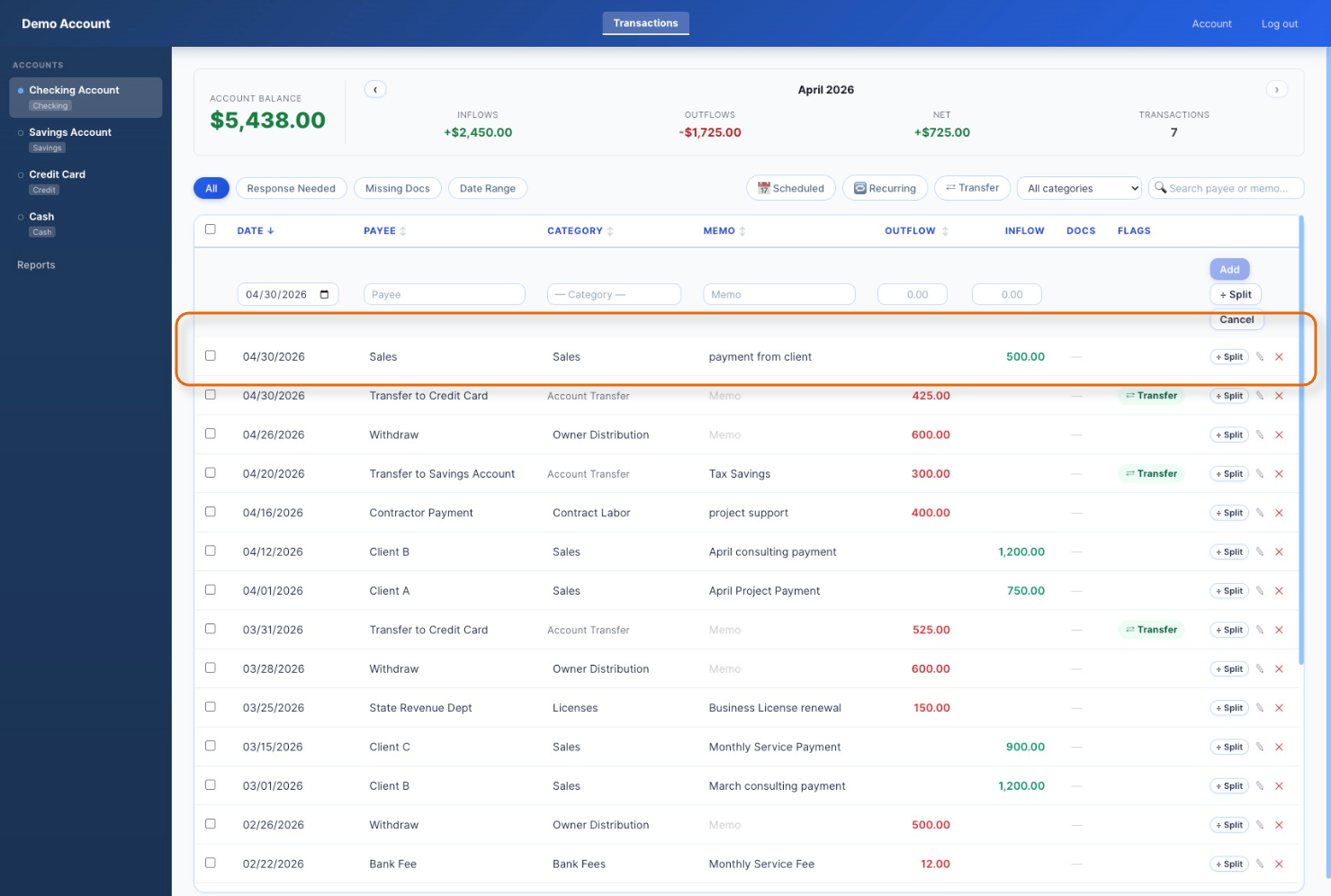
Follow the steps below to enter a transaction where money was added to your account.
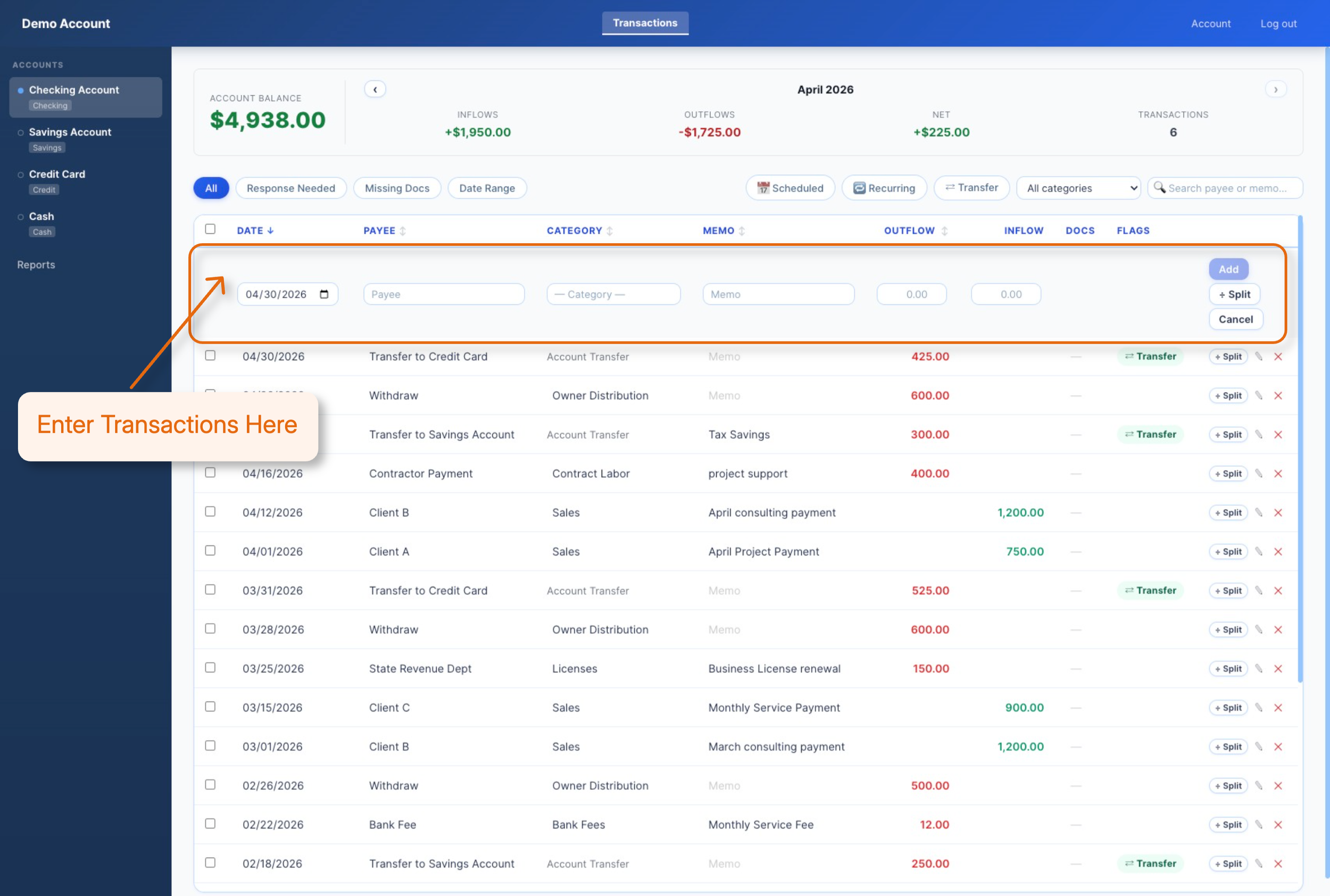
Enter a new transactions in the top entry area.
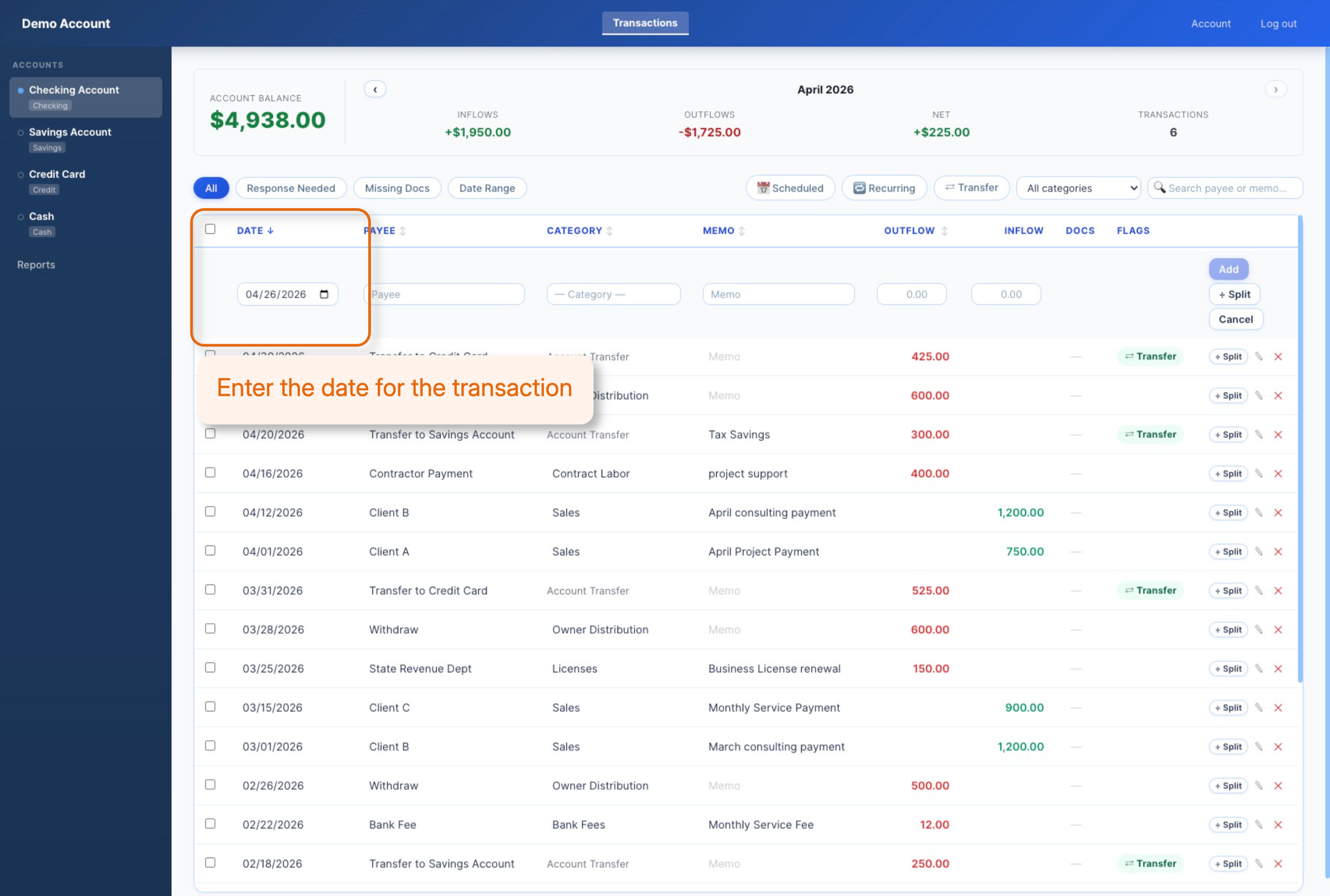
Enter the date for the transaction either by typing the date or clicking on the date picker which is a calendar icon.

Type in the payee information which is where the money was from. It could be a client name, point of sales system, or just Sales for simplicity.
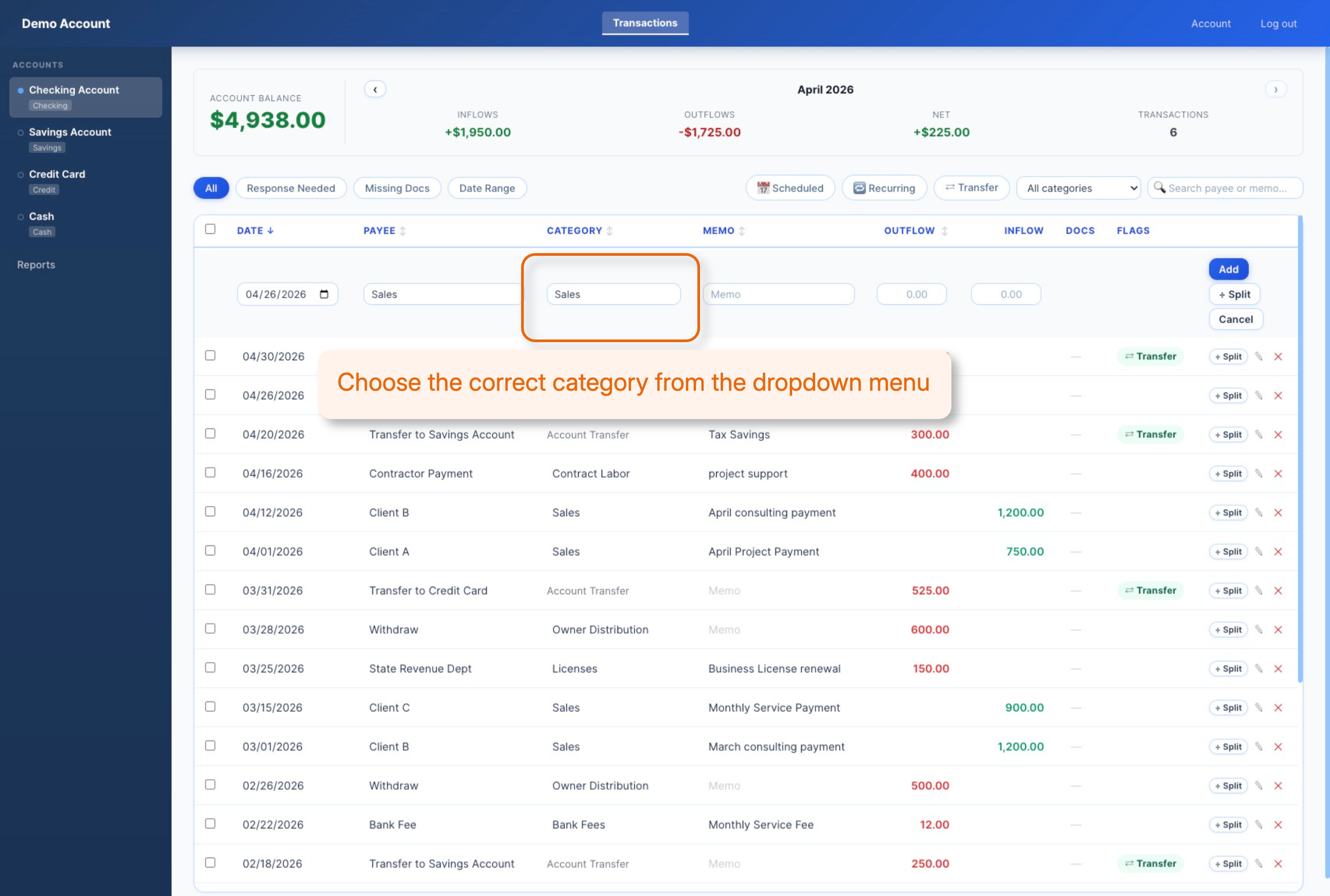
This was a client payment and not a deposit or contribution so we selected “Sales” from the category list.
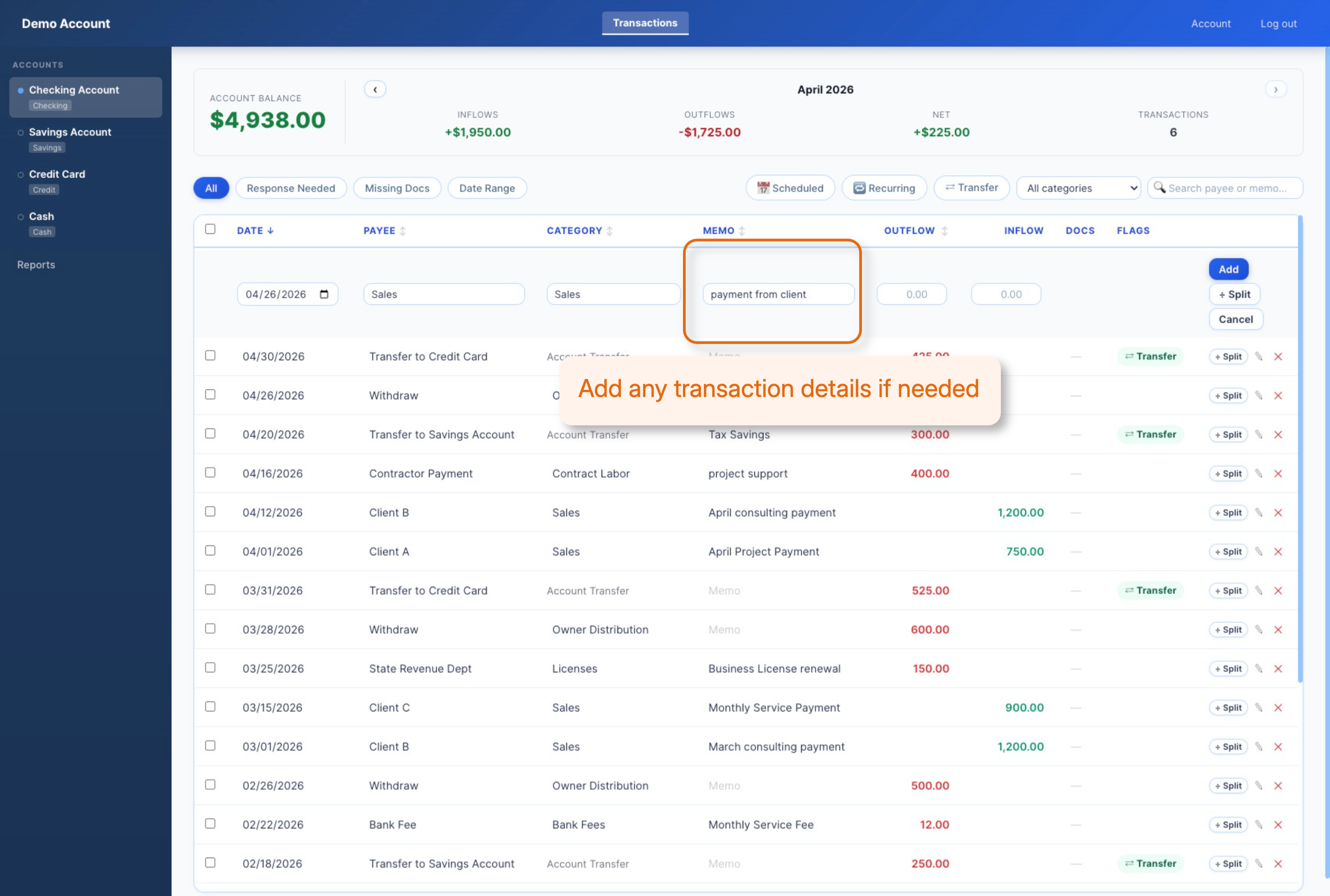
This was a payment from a client so we added more information in the payment details.
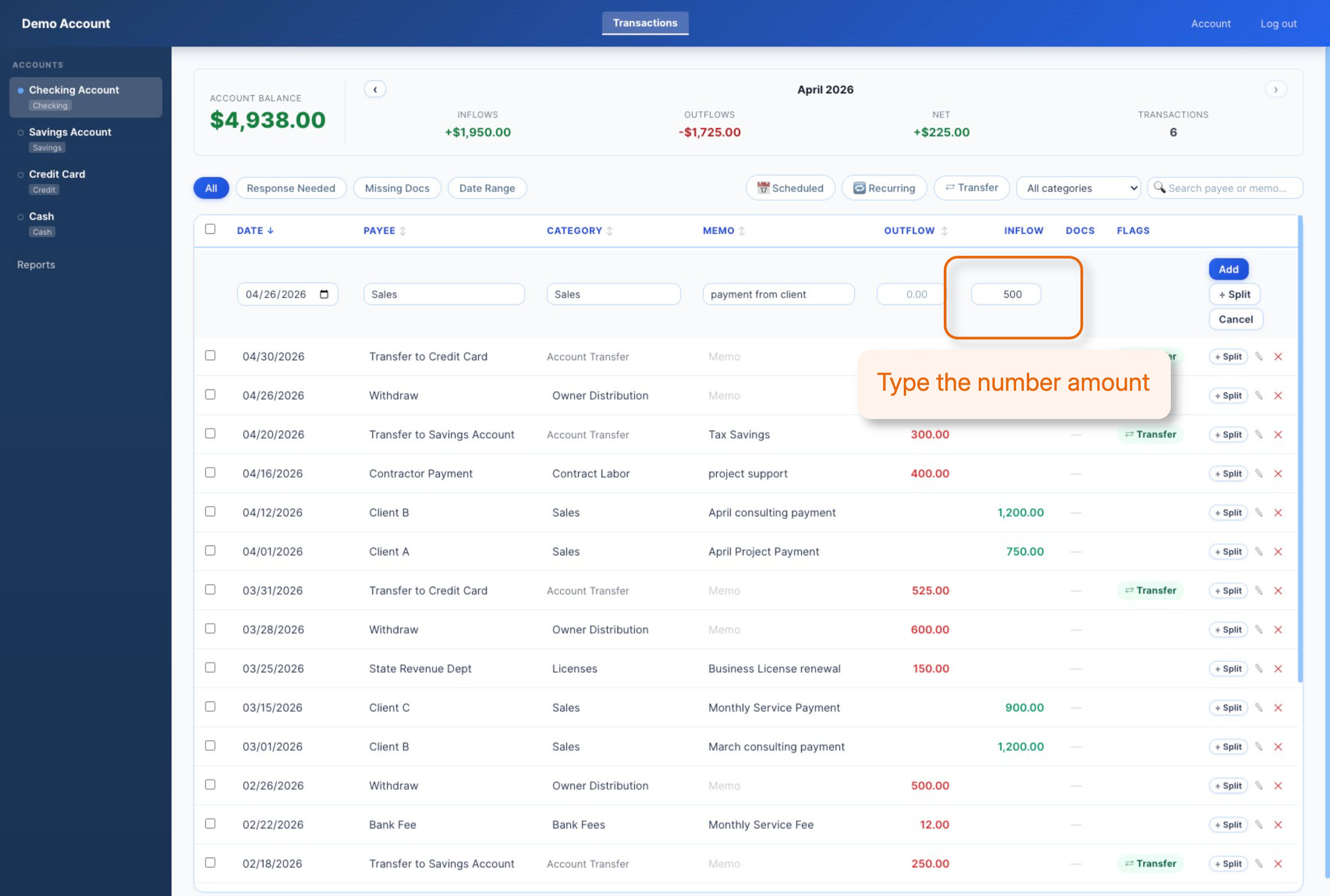
Money was added to the account so we type the amount in the inflow box for the transaction. Only numbers are needed for the transaction.
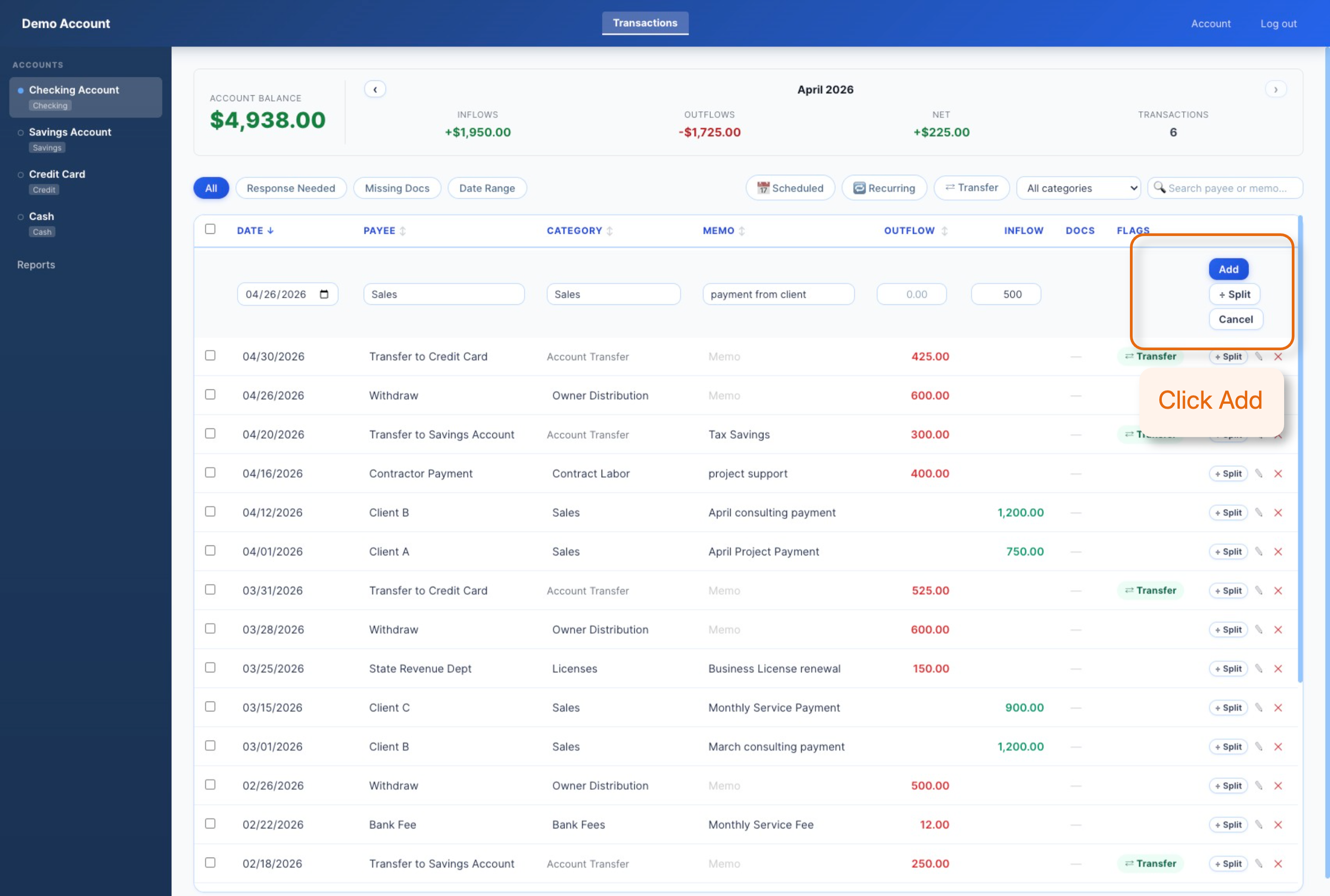
The last step is to click the “Add” button so our transaction is added to the account.
Now the transaction is added to the Checking Account.